
Download YouTube Videos in Original Quality
Download locally on your PC. Choose quality, clip In/Out, keep privacy.
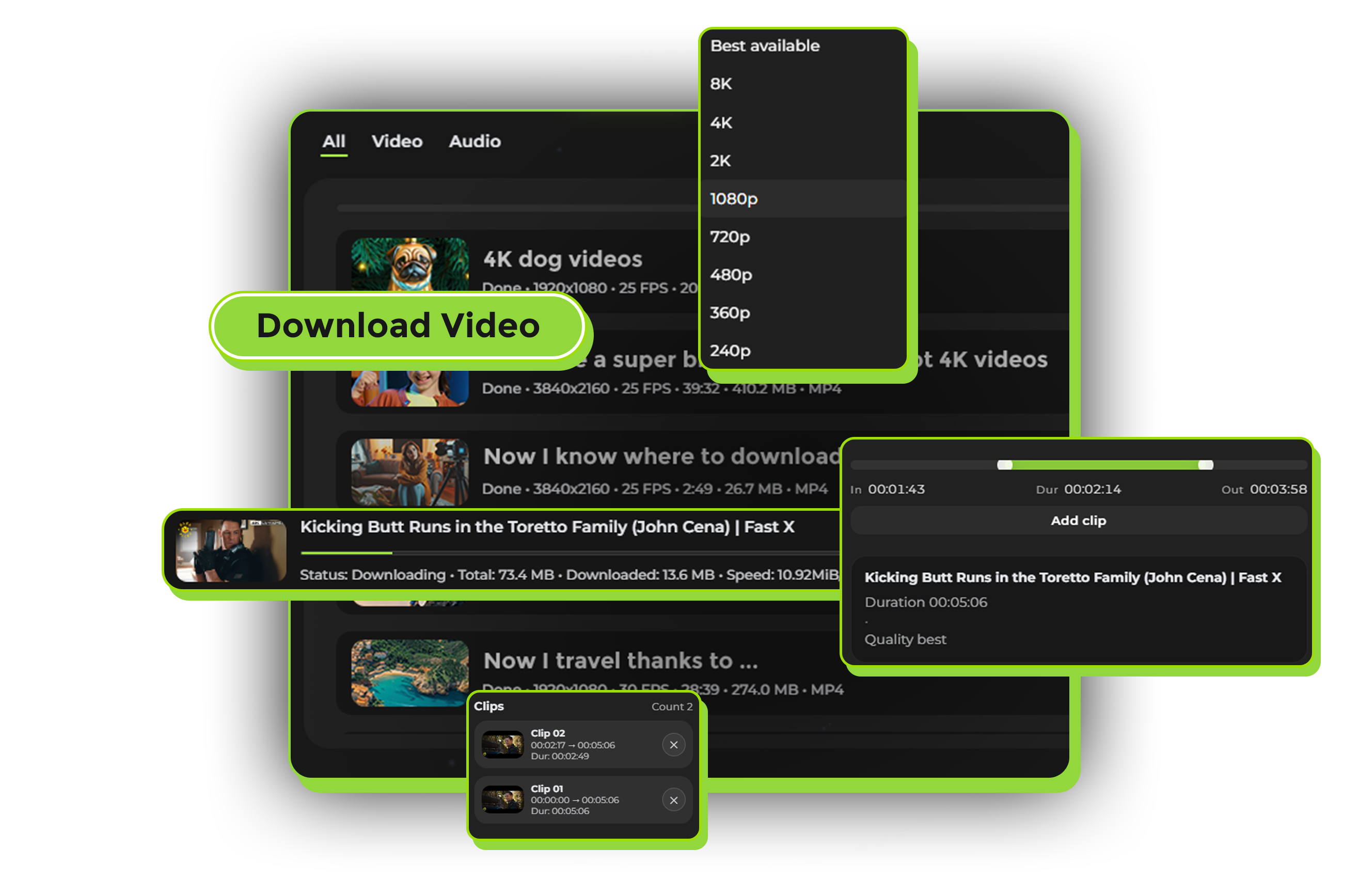
What is Avenor YouTube Downloader
Avenor YouTube Downloader is a desktop application for Windows and macOS that lets you download YouTube videos directly to your computer.
Unlike online services, everything happens locally on your PC — no uploads to external servers, no privacy risks, and no quality loss.




Why download YouTube videos with Avenor
Original Quality
Download videos in their original quality when available — up to 4K, 1080p, or whatever the creator uploaded.
Clip Before Download
Set precise In/Out points and download only the fragment you need. Perfect for clips, highlights, or specific segments.
No Ads, No Limits
Clean interface without annoying ads. Download as many videos as you want, no artificial restrictions.
Multiple Formats
Download as MP4 video or extract audio as MP3. Choose what works best for your needs.
Clip YouTube videos before download
Found the perfect moment in a 2-hour podcast? Need just a highlight from a gaming stream?
Avenor's clip feature lets you set precise In/Out points before downloading.
No need to download the entire video and then trim it — save time and storage by downloading only what you need.
Quality & formats
Always the original quality when available — exactly as on YouTube.
- 8K, 4K, 1440p, 1080p, 720p, 480p, 360p
- MP4 video or MP3 audio‑only
Pick the format that fits your workflow and devices.

How it works
Copy YouTube URL
Copy the link to any YouTube video you want to download.
Paste in Avenor
Open Avenor Downloader and paste the URL. The app analyzes the video and shows available qualities.
Choose Quality & Clip (Optional)
Pick the quality you want and, if needed, set In/Out timestamps before downloading.
Privacy & safety
Avenor works locally on your computer — we don’t upload your videos to external servers.
Why local processing matters
- No uploads to external servers
- No account required
- You control your files
Downloads are saved directly to your chosen folder.